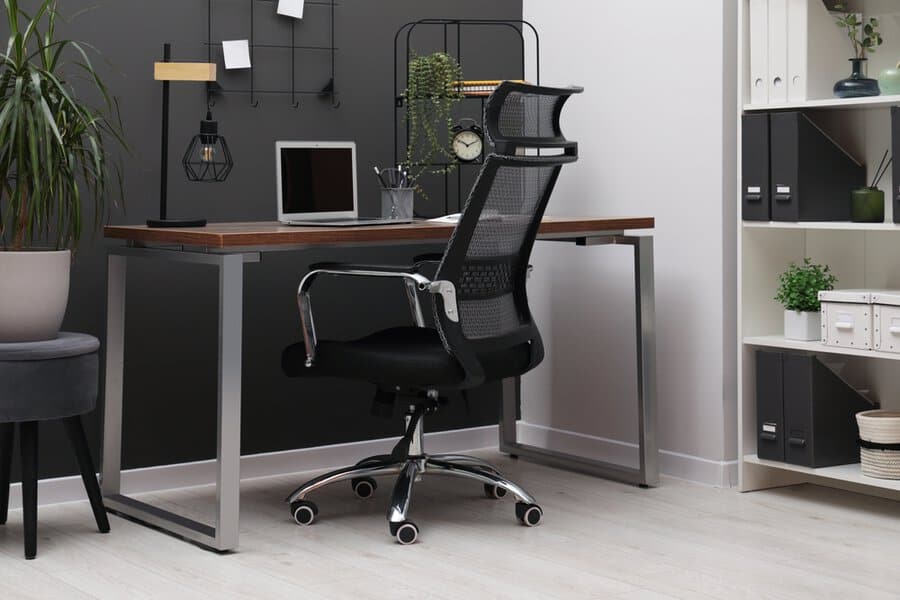
The Modern Home Office: Building a Workspace That Works
The home office has evolved from a temporary pandemic necessity into a permanent fixture in how many of us work. Whether you’re a freelancer, remote employee, or someone who simply needs a dedicated space for personal projects, the setup matters. A well-designed home office isn’t just about aesthetics; it’s about creating an environment that supports focus, productivity, and comfort throughout your workday.
The foundation of any effective home office starts with understanding your actual needs. Before investing in furniture, lighting, or technology, consider what you’ll be doing in that space. Are you video conferencing with clients? Working with design software? Managing spreadsheets and emails? The answers shape everything from your desk height to your monitor setup to your computing hardware. Some people find that a mini PC paired with a quality monitor delivers the performance they need without consuming valuable desk real estate, while others require a full tower system. The point is to match your setup to your workflow, not the other way around.
Choosing the Right Location
Location is often overlooked but fundamentally important. Your home office should be in a space where you can close a door, minimize distractions, and establish a psychological boundary between work and personal life. If you’re in a small apartment or shared home, this might mean a corner of a bedroom or a section of the living room with a room divider. The key is consistency and separation.
Natural light is a genuine asset. Position your desk near a window if possible, but avoid glare on your monitor. If natural light isn’t available, invest in quality task lighting that reduces eye strain. A desk lamp with adjustable brightness and color temperature can make a significant difference in how you feel during long work sessions. Poor lighting leads to fatigue and headaches, which undermine productivity regardless of how nice your desk looks.
Temperature control matters too. A space that’s too warm or too cold will distract you constantly. If you can’t control the building’s thermostat, a small space heater or fan gives you personal climate control. These details seem minor until you’re trying to focus on important work and you’re uncomfortable.
Ergonomics and Comfort
Your body will spend hours in this space, so ergonomics aren’t optional. Your chair should support your lower back and allow your feet to rest flat on the floor. Your desk height should position your elbows at roughly 90 degrees when your hands are on the keyboard. Your monitor should be at eye level, about an arm’s length away. These aren’t arbitrary guidelines; they’re based on how human bodies function over time.
Many people underestimate how much a quality chair matters. You don’t need an expensive gaming chair, but you do need something that supports proper posture. Cheap office chairs often create back problems rather than solve them. Similarly, a monitor arm that lets you adjust height and angle is worth the investment. Small adjustments throughout the day reduce strain and keep you comfortable.
Consider a standing desk or a desk converter that lets you alternate between sitting and standing. Staying in one position all day isn’t ideal for anyone. Even switching positions every hour or two improves circulation and reduces the physical toll of desk work.
Technology and Connectivity
Your computing setup should match your actual workload, not your aspirations. If you’re primarily working with email, documents, and web browsing, you don’t need a high-end gaming computer. If you’re editing video or working with large design files, you need more processing power and RAM. Be honest about what you actually do.
Internet connectivity is non-negotiable. A wired connection is more stable than wireless, so if possible, run an ethernet cable to your desk. If that’s not feasible, position your router centrally and consider a mesh network system if your home office is far from the main router. Video calls dropping or files uploading at a crawl will undermine even the best office setup.
Backup power is worth considering. An uninterruptible power supply (UPS) protects your work from sudden power loss and gives you time to save and shut down properly. It’s cheap insurance against losing hours of work.
Minimizing Distractions
A cluttered desk creates mental clutter. Keep your workspace organized with designated spots for frequently used items. Everything else should be stored away. This isn’t about being obsessively neat; it’s about removing visual noise that competes for your attention.
Sound management is equally important. If you’re in a noisy environment, noise-canceling headphones can help. If you need to take calls, a quality microphone and headset are essential. Your colleagues or clients shouldn’t have to listen to background noise or echoing audio.
Consider what’s visible in your video call background if you’re on camera regularly. A simple backdrop, a bookshelf, or even a plant can look professional without requiring you to keep your entire office pristine.
Read also: 22 Home Office Feng Shui Ideas to Boost Productivity
Personal Touches and Motivation
While minimalism has its place, a completely sterile office can feel depressing. A few personal items, plants, or artwork can make the space feel like yours without creating clutter. These touches remind you why you’re working and can boost motivation on difficult days.
Lighting beyond task lighting matters for mood. Some people find that warm-toned lights feel more welcoming than cool white fluorescents. Others prefer natural daylight bulbs. Experiment to find what makes you feel alert and focused rather than drained.
Conclusion
Building an effective home office is about understanding your needs and creating an environment that supports them. It’s not about having the most expensive equipment or the most Instagram-worthy setup. It’s about thoughtful choices that reduce friction, support your body, minimize distractions, and help you do your best work. Start with the fundamentals: location, ergonomics, and reliable technology. Then refine based on what you actually experience w